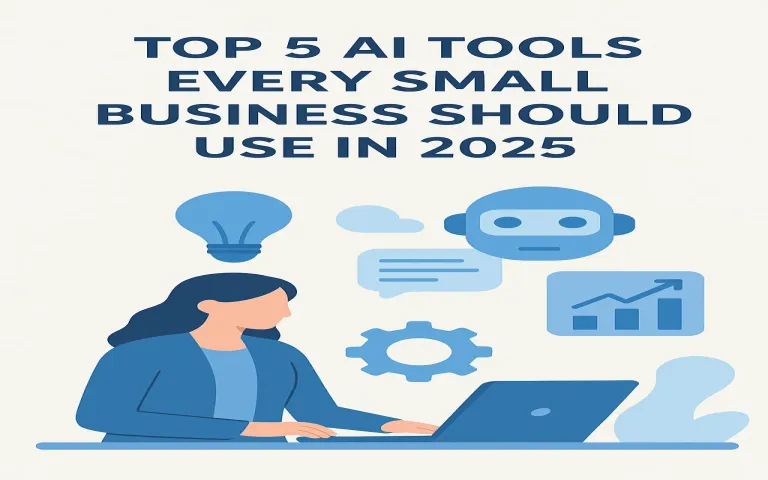
AI is now a practical utility for small businesses: it drafts content, answers customers, qualifies leads, reconciles invoices, and connects all your apps. Instead of chasing “one magic tool,” you’ll get the most value by combining a few focused AI categories that directly map to your biggest bottlenecks.
Pro tip: Treat each AI tool like a teammate—define a clear job, KPIs, and a small monthly budget. If it doesn’t earn its keep in 30–60 days, switch or scale back.
1) AI Content & Marketing Assistants Website • Blogs • Ads • Email
Use AI writers and planners to research keywords, draft briefs, generate posts, craft ad copy, and repurpose content across channels.
- Best for: Blogs, landing pages, ad variants, product descriptions, newsletters.
- Must-have features: brand voice profiles, SEO briefs, plagiarism check, multilingual output.
- Setup in 30 minutes: import 3–5 of your best posts, create a style guide, connect your CMS or email tool, and schedule a weekly content cadence.
- ROI checkpoint: time to publish ↓ 50%, organic clicks ↑ within 6–8 weeks.
2) AI Customer Support & Chatbots 24/7 Helpdesk
Modern chatbots resolve FAQs, track orders, and escalate only complex issues—reducing response times and ticket volume.
- Best for: e-commerce, bookings, local services, SaaS onboarding.
- Must-have features: website & WhatsApp integration, knowledge-base ingestion (PDF/URL), human handoff, analytics.
- Setup in 1 hour: upload FAQs/policies, connect email/WhatsApp, define escalation rules, and add a feedback thumbs-up/down.
- ROI checkpoint: first-response time < 1 minute; 30–60% auto-resolution.
3) AI CRM Copilots for Sales Leads • Outreach • Forecast
AI embedded in your CRM can summarize calls, auto-log activities, score leads, and draft personalized outreach so reps focus on closing.
- Best for: B2B services and product companies running email/LinkedIn funnels.
- Must-have features: call summaries, lead scoring, sequence suggestions, pipeline forecasting.
- Setup in 45 minutes: connect email & calendar, import deals, enable call recording/notes, and define ICP scoring rules.
- ROI checkpoint: 20% more meetings booked; admin time per rep ↓ 40%.
4) AI Finance & Bookkeeping Automation Invoices • Reconciliation • Insights
Automate invoice capture, categorize expenses, reconcile payments, and surface cash-flow alerts—without a full-time accountant.
- Best for: SMEs with recurring invoices, subscriptions, or mixed payment gateways.
- Must-have features: bank feeds, OCR for receipts, payment gateway/webhook support, GST/VAT handling, export to your CA.
- Setup in 1–2 hours: connect bank & payment gateway, import chart of accounts, and review first 200 transactions.
- ROI checkpoint: month-end close in < 3 days; 90% auto-categorization accuracy.
5) AI Workflow Automation Platforms Connect Apps • Reduce Busywork
Link your forms, CRM, inbox, spreadsheets, and support desk. Use AI steps for smart routing, summarization, and data cleanup.
- Best for: teams juggling many cloud tools (forms → sheets → email → CRM → invoicing).
- Must-have features: visual workflows, webhooks, schedule/queues, AI steps (classify/summarize), error logs.
- Setup in 40 minutes: automate a single painful task—e.g., form submission → lead enrichment → CRM create → Slack alert → email reply.
- ROI checkpoint: 5–10 hours/week saved per employee.
How to Choose the Right AI Stack
- Start with the bottleneck: support load, lead follow-up, or bookkeeping backlog.
- Prefer integrations: pick tools that natively connect to your CMS, CRM, email, and gateway.
- Data & privacy: check where data is stored, retention policies, and options to disable training on your data.
- Pilot first: 14–30 day trials with a success metric (hours saved, conversions, CSAT).
- Document prompts/playbooks: store winning prompts and workflows so anyone can use them.
30/60/90-Day Rollout Plan
- Days 1–30: deploy chatbot for FAQs, create content style guide, automate one workflow.
- Days 31–60: add CRM copilot, enable call summaries, set up finance automation and cash-flow alerts.
- Days 61–90: refine prompts, add lead-scoring rules, expand automations to hand-offs (sales → onboarding → support).
- Related Articles:
- 01. 10 Game-Changing AI Tools Revolutionizing Business in 2025.
- 02. How Generative AI is Transforming Digital Marketing Strategies.
- 03. Why Every Small Business Needs an AI Strategy in 2026.
- 04. How AI Is Transforming Strategic Decision-Making for Small Businesses in 2026.
- 05. AI Integration in Business: Opportunities and Challenges
FAQ.
- Will AI replace staff? It replaces repetitive tasks, not relationships. Upskill your team to manage prompts, QA, and oversight.
- How much should I budget? ₹1,500–₹10,000 per user/month across categories is typical for SMEs—scale with ROI.
- Do I need a developer? No for basics. For deeper integrations, consider a no-code specialist for a few hours.
© 2025 BizInfoTech • Business & Technology Insights for Growth