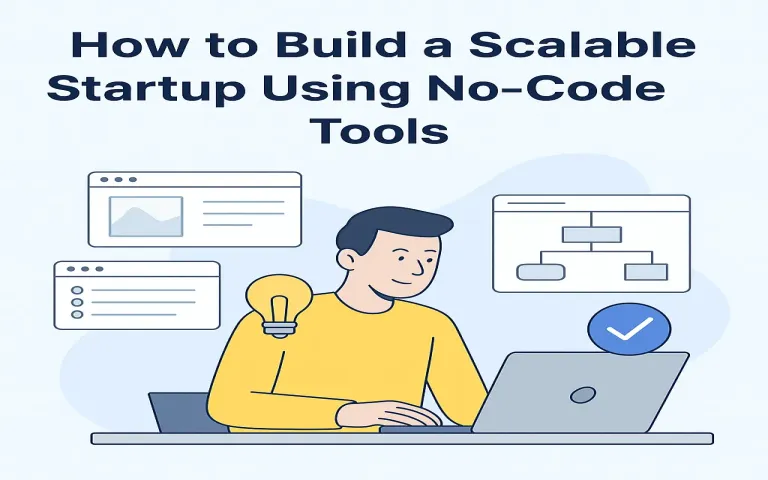
No-code tools let non-technical founders ship products faster, reduce development costs, and iterate with real users. Whether you're launching a SaaS, marketplace, or automation consultancy, the right no-code stack and growth plan will let you reach product-market fit and scale without a big engineering team.
Quick stat: the no-code/low-code market has been growing rapidly — analysts projected major market expansion as businesses adopt visual development platforms and automation. 0
Why choose no-code for your startup?
- Speed: Build an MVP in days or weeks — test assumptions before you commit big budgets.
- Lower cost: No large engineering payroll in the early months; use subscriptions instead of full-time hires.
- Iterate quickly: Visual builders let you change flows, UI, and data without long sprints.
- Integrations & automation: Modern no-code stacks include databases, auth, payments and automation tools that connect easily. 1
Pick a no-code stack (what to use)
A reliable no-code stack typically has 4 layers: Frontend/UX, Backend/data, Automation, and Infrastructure/services (auth, payments, hosting). Pick tools that play well together and can be replaced later when you move to code.
Common tool examples (2025 landscape)
- Frontend / App builders: Bubble (web apps), Webflow/Framer (marketing & sites), Glide/Softr/Adalo (simple apps & dashboards). 2
- Backend / Databases: Airtable, Xano, Supabase (low-code backend), Firebase for auth/data.
- Automation / Integrations: Zapier, Make (Integromat), n8n, Pipedream to connect services and run scheduled jobs. 3
- Payments & Auth: Stripe, Razorpay (India), Memberstack or Firebase Auth for user auth and gating.
- AI & agents: Newer no-code AI-agent platforms let you embed automation agents without custom ML code; some no-code startups raised significant funding for AI automation platforms in 2025. 4
Step 1 — Validate the idea (before you build)
- Talk to customers: 20–50 discovery calls to confirm pain and willingness to pay.
- Landing page test: Create a Webflow or simple site with pricing and an email CTA. Drive small ads or post in communities.
- Pre-sell or collect deposits: Nothing validates like money — offer limited early-bird pricing.
Step 2 — Build an MVP with no-code
Keep scope tiny. Map core user journey (signup → value moment → payment) and build that first. Use templates to speed up.
MVP checklist
- Single user flow that demonstrates value in 3 clicks.
- Instrument analytics (Mixpanel / Google Analytics / simple event tracking).
- Payment & billing integration (Stripe or local gateway).
- Basic admin dashboard (Airtable, Glide, or a simple Bubble page).
Step 3 — Design for scale (technical and operational)
No-code makes it easy to start, but you must choose patterns that let you scale when usage grows:
- Use a modular data model: Keep data normalized and in a scalable backend (Xano, Supabase) rather than overloading spreadsheets.
- Batch & queue heavy jobs: Offload reporting, exports, and large imports to scheduled automations so you don't hit UI timeouts.
- Rate limits & monitoring: Track API quotas for third-party services and set alerts when thresholds are close.
Step 4 — Operations, growth & team
Early team is about multi-skilled operators, not specialists. Hire or contract:
- A product person who understands UX and no-code flows.
- An automation engineer (no-code / low-code) who builds integrations and maintains webhooks.
- Customer success / sales to close early customers and gather feedback.
Step 5 — Pricing, metrics & monetization
Start with simple pricing: free trial + 1 or 2 paid tiers. Focus on these metrics early:
- CAC (Customer Acquisition Cost)
- LTV (Lifetime Value)
- MRR growth and churn
- Time to first value — reduce this for faster conversions
Pitfalls to avoid
- Tool lock-in: Avoid designs that make future migrations impossible. Keep an exportable data layer (CSV/JSON dumps).
- Ignoring performance: Visual builders can be slow if you directly render huge datasets — paginate & cache.
- Underestimating costs: No-code is subscription-driven. Forecast monthly tool bills as you scale. Community guides show realistic budgets for no-code startups (from $20/month toy builds to $100s/month for production). 5
Real-world examples & investor interest
Several successful startups began with no-code prototypes (marketplaces, SaaS dashboards, onboarding portals). In 2024–2025 the ecosystem produced multiple success stories and investor interest in no-code AI platforms (companies focused on AI agents and no-code automation attracted funding rounds in 2025). These trends make it easier to build and to find customers in non-tech industries. 6
Launch & 30-day checklist
- ✅ Landing page with pricing & email capture
- ✅ Core user flow built & tested with 5 real users
- ✅ Payment integration (Stripe/Razorpay) live
- ✅ Analytics events instrumented (signup, activation, payment)
- ✅ Automation flows for onboarding (emails, welcome sequences)
- ✅ Monthly cost forecast for tools & hosting
- ✅ Escrow / export plan: can you export your data from every tool?
Next steps (90-day roadmap)
- Day 1–30: Validate, build MVP, get 10 paying users.
- Day 31–60: Stabilize flows, add retention features (notifications, stickiness), reduce time-to-value.
- Day 61–90: Optimize conversion funnel, build admin & reporting, and plan migration path to custom code if needed.
Final thoughts
No-code is an excellent path to test business models and grow early traction with capital efficiency. Pick tools thoughtfully, instrument metrics from day one, and design for replaceability — so when the time comes, you can switch to custom code without losing customers or history.
Want a tailored no-code stack for your idea? Reply with your startup concept and I’ll suggest a specific toolchain (frontend, backend, automation, cost estimate) you can start with today.
Sources: industry guides and reports on the no-code ecosystem